| Online Click Games |
|---|
 Reincarnation: All Hallow's Evil Game Reincarnation: All Hallow's Evil Game
 
Plays: 3838
Category: Action Games
It has been 2 years (released the first one on 10/29/2008) since I have started making the Reincarnation series, and I wanted to share with everyone a special Halloween episode in honor of the 2 year anniversary.
It was kind of a rush job (finished making the game in less than a month), but I feel it came out very well. |  Steal Gems And Escape Game Steal Gems And Escape Game
Plays: 3837
Category: Adventure Games
This time your task is to find 10 valuable gems for your collection, search house, unlock safes and solve all riddles to collect gems, then find the key and escape from house. Good luck!! |
 Best of the Best Game Best of the Best Game
Plays: 3836
Category: Dress-Up Games
The best of the best beauty queens have to keep getting themselves out there and diving into their next competition! Don't be afraid to jump into the next beauty contest competition! But make sure you're prepared to take on his beauty competition champion! |  Feed The Dog Game Feed The Dog Game
Plays: 3835
Category: Action Games
Feed the Dog is fun skill game for kids with cute dog theme. Your goal is to eat all the food on screen. |
 BreadOmlette Game BreadOmlette Game
Plays: 3834
Category: Strategy Games
The player should click on the bread slices using the mouse right click to make them fall on the egg to make hot bread omelette and move to the next level. If all the slices fall on the bread you will get bonus time or you may lose the time. Game ends when the time is up. |  Link Fest Game Link Fest Game
Plays: 3832
Category: Puzzles Games
A gem-matching game with 10 levels of linking fun. Use no more than 3 straight lines to link two items together. Controls: Mouse click. |
 Sneaky Beach Escape Game Sneaky Beach Escape Game
Plays: 3832
Category: Adventure Games
Sneaky was vacationing at sneaky beach when things went wrong. Now you need to escape! Figure out a way to escape the island!
Good luck and have fun! |  Diamond Room Escape 3 Christmas Game Diamond Room Escape 3 Christmas Game
Plays: 3830
Category: Adventure Games
Solve all riddles and find 4 hidden diamonds, then use key and escape from the Christmas Diamond Room. Good Luck! |
 Cow Abducter Game Cow Abducter Game
Plays: 3829
Category: Action Games
a Clicking game where you collect cows while dodging rocks... |  Colorful Pumpkins - Match 3 Game Colorful Pumpkins - Match 3 Game
Plays: 3828
Category: BoardGame Games
Click the two similar pumpkins and match three or more pumpkins |
 Bloom encircled Game Bloom encircled Game
Plays: 3828
Category: Action Games
Bloom encircled is a simple action game. Game to the mental acuity, speed and attentiveness.
Click your mouse to fire at attacking wild wolves. Your objective is to get as much points. |  Steambot Game Steambot Game
Plays: 3828
Category: Adventure Games
You are the pilot of the mail airship. Your ship was crashed and now you must escape from wild and strange place.
Incredible point and click adventure game. |
 Baby Room Designer Game Baby Room Designer Game
Plays: 3826
Category: Customize Games
Every baby needs a room to herself. So that she can complete all of her block stacking experiments, her teddy bear tea parties, and chalk drawing arts and crafts time. Don't feel left out! She just needs time to collect her thoughts. |  Santa Messy Room Game Santa Messy Room Game
Plays: 3824
Category: Puzzles Games
Santa Messy Room is another point and click hidden object game from Games2rule. Santa room is so messy. It’s our time clean up Santa room. Leave Christmas related objects and remove other objects to make Santa room clean. You can find up to 5 hidden objects using hint options. Find the hidden objects in short duration to get high score. Good luck and have fun! |
 Neon Meter Game Neon Meter Game
Plays: 3822
Category: BoardGame Games
Click groups of similar colored blocks. |  Alexis Trip 2 Game Alexis Trip 2 Game
Plays: 3820
Category: Puzzles Games
New levels of the free attractive hidden object game. There are four bright and picturesque levels: lumber-room, dining-room, pier and office. You have a list of hidden object that should be found. Click at the object with mouse and it will disappear. Find all objects to escape the room. |
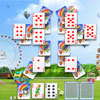 Happy Day Solitaire Game Happy Day Solitaire Game
Plays: 3820
Category: BoardGame Games
This fun game of Solitaire is fun for all ages!.
Find two cards of the similar rank and click at them to remove to the foundation, your task is to remove all cards in a fast and timely manner. If there is no combination on the table then click at the pack.
Find a cure for you boredom and play this addicting fun game! |  Escape From Road Game Escape From Road Game
Plays: 3819
Category: Puzzles Games
Escape From Road, Mouse to click and drag |
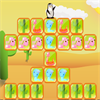 Penguin Escape Game Penguin Escape Game
Plays: 3819
Category: Puzzles Games
Penguin Chuck was taken to the tropical. But it's too hot there. Please help him get back home. Click three or more consecutive identical blocks to remove them. The penguin will escape from the exit. Have fun! | 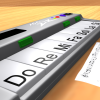 ASD Piano Maestro Compositor Game ASD Piano Maestro Compositor Game
Plays: 3819
Category: Education Games
ESPAÑOL (English bellow)
=======
El ASD Piano es un dispositivo creado por I2 Interactive y vendido ampliamente por todo el mundo. Aqui puedes divertirte jugando con el. Tiene 7 teclas que se corresponden con las 7 notas y puedes tocarlas presionando la tecla correspondiente en tu teclado A-S-D-F-G-H-J
En este juego tiene 3 modos para pasar un buen rato con el ASD Piano TM.
Free Mode: Aqui puedes jugar como quieras, presionando las teclas como desees. Haz click en el boton Back para regresar a la pantalla de titulo.
Memory: Oiras una corta melodia y despues deberas tocarla de nuevo, muchas cortas melodias iran apareciendo y una vez que las toques correctamente puedes enviar tus puntos a la tabla de Hi-Score
Composer: Puedes componer tus propias piezas originales!! y compartirlas con tus amigos, muestra al mundo el talento que tienes!!
En la pantalla del Composer presiona el boton "REC" para empezar a crear tu composicion, toca las teclas como prefieras y sientas de la mejor manera, puedes tocar varias notas a la vez y conseguir increibles resultados. Cuando sientas que esta terminada dale al boton de "STOP" para detener la grabacion. Puedes ajustar la velocidad de la pieza variando el valor dado abajo a la izquierda y tambien puedes añadir una musica de fondo como acompañamiento seleccionandola de la lista de Tunes disponibles de 1 a 6. Puedes tu pieza original dandole a "PLAY", haz click en "STOP" para detenerla en cualquier punto, con la cabeza lectora (flecha verde) parada puedes hacer click en cualquier parte del pentagrama, la cabeza lectora ira alli, tocando cualquier nota ahi modificara esa parte, puedes hacer click en "ERASE PART" para borrar solo esa parte. Si haces click en "ERASE ALL" se borrara toda la composicion asi que ten cuidado, tambien haciendo click en "Back" se borrara toda la composicion asi que salva antes de salir.
Para salvar tu composicion debes hacer click en "SAVE" y luego, en un cuadro blanco situado abajo, haz click con el boton derecho del raton, y en el menu que sale haz click en "Seleccionar todo" luego haz click de nuevo con el boton derecho y selecciona "Copiar" ahora abre tu Bloc de Notas de Windows, ve a "Inicio", luego en "Todos los programas" y despues en "Accesorios", luego haz click en "Bloc de Notas", una vez que se abra, en el menu "Edicion" selecciona "Pegar", luego haz click en "Archivo" y "Guardar" para guardarlo donde quieras.
Para cargar tu pieza o la de tus amigos primero de todo selecciona toda la composicion que tu has recivido (comienza y termina con un numero), luego haz click con el boton derecho en ella y elige "Copiar", luego en el ASD Piano, una vez que estes en el modo Composer, haz click con el boton derecho en el cuadro blanco de abajo y elige "Pegar" luego haz click en el boton "LOAD" y ya puedes hacer click en "PLAY" para escucharla o puedes editarla para añadir tus modificaciones. Puedes tambien hacer click en las canciones prefabricadas "Premade" para cargar una de las 5 melodias disponibles, haciendo esto cargara la cancion entera asi que asegurate de salvar tu composicion antes, mira lo que nuestro talentoso equipo ha hecho y aprende a la vez.
ENGLISH
=============
The ASD Piano is a device made by I2 Interactive and sold widely everywhere. Here you can have fun playing with it. It has 7 keys that correspond to the 7 notes and you can play them by pressing the corresponding keys on your Keyboard A-S-D-F-G-H-J
In this game you have 3 modes to have your fun time with the ASD Piano TM.
Free Mode: Here you can play as you like, pressing the keys as you wish, click the Back button to go to tittle screen.
Memory: You will hear a short melody and then you have to play it again, many short melodies will pop and after succesfully playing them you can submit your score to the Hi-Score table.
Composer: You can compose your own original pieces!! and share with your friends, show the world the talent you have!!
In the composer screen press the "REC" button to start making your composition, play the keys that you wish and feel the best, you can play several keys at the same time and get awesome results. When you feel its finished hit the "STOP" button to finish the recording,
You can adjust your piece speed altering the value given at the bottom left and also you can add a background loop to acompany it selecting from the available tunes from 1 to 6.
You can hear your original piece clicking the "PLAY" button, click "STOP" to halt it at any point, with the playhead stopped you can click on any part of your pentagram, the playhead will go there, and playing any keys there will modify that part, you can click on "ERASE PART" to delete the notes on that part.
If you click "ERASE ALL" the whole piece will be deleted so be careful, also clicking "Back" will delete the piece so save first.
To save it you have to click the "SAVE" button and then, there is a white square at the bottom, right click on it and on the menu click "Select all" then right click again and on the menu click on "Copy" then open your Windows Notepad, go to START then ALL PROGRAMS and then ACCESORIES, then click on Notepad and there select Edit menu and Paste, then click on File and Save to save it anywhere you like.
To load your piece or your friends compositions first of all select the whole composition that you have received (starts and ends with a number), then right click on it and select Copy, then in the ASD Piano, once in the Composer mode right click on the white square at the bottom and select Paste then click on the "LOAD" button and now you can click on "PLAY" to listen to it, or you can edit that to add your own modifications.
You can also click on the premade songs to load them, doing that will load the entire song so be sure to save your work first, see what our talented team has made and learn from there. |