| Online Clicking Games |
|---|
|
 Beat Game Beat Game
 
Plays: 6551
Category: Action Games
Feel The Music |  Touch The Bubbles 2 Game Touch The Bubbles 2 Game
Plays: 6461
Category: Puzzles Games
Music puzzle where u listen and repeat melody by clicking bubbles |
 ASD Piano Master Composer Game ASD Piano Master Composer Game
Plays: 6451
Category: Education Games
ESPAÑOL ABAJO
=============
The ASD Piano is a device made by I2 Interactive and sold widely everywhere. Here you can have fun playing with it. It has 7 keys that correspond to the 7 notes and you can play them by pressing the corresponding keys on your Keyboard A-S-D-F-G-H-J
In this game you have 3 modes to have your fun time with the ASD Piano TM.
Free Mode: Here you can play as you like, pressing the keys as you wish, click the Back button to go to tittle screen.
Memory: You will hear a short melody and then you have to play it again, many short melodies will pop and after succesfully playing them you can submit your score to the Hi-Score table.
Composer: You can compose your own original pieces!! and share with your friends, show the world the talent you have!!
In the composer screen press the "REC" button to start making your composition, play the keys that you wish and feel the best, you can play several keys at the same time and get awesome results. When you feel its finished hit the "STOP" button to finish the recording,
You can adjust your piece speed altering the value given at the bottom left and also you can add a background loop to acompany it selecting from the available tunes from 1 to 6.
You can hear your original piece clicking the "PLAY" button, click "STOP" to halt it at any point, with the playhead stopped you can click on any part of your pentagram, the playhead will go there, and playing any keys there will modify that part, you can click on "ERASE PART" to delete the notes on that part.
If you click "ERASE ALL" the whole piece will be deleted so be careful, also clicking "Back" will delete the piece so save first.
To save it you have to click the "SAVE" button and then, there is a white square at the bottom, right click on it and on the menu click "Select all" then right click again and on the menu click on "Copy" then open your Windows Notepad, go to START then ALL PROGRAMS and then ACCESORIES, then click on Notepad and there select Edit menu and Paste, then click on File and Save to save it anywhere you like.
To load your piece or your friends compositions first of all select the whole composition that you have received (starts and ends with a number), then right click on it and select Copy, then in the ASD Piano, once in the Composer mode right click on the white square at the bottom and select Paste then click on the "LOAD" button and now you can click on "PLAY" to listen to it, or you can edit that to add your own modifications.
You can also click on the premade songs to load them, doing that will load the entire song so be sure to save your work first, see what our talented team has made and learn from there.
ESPAÑOL
=======
El ASD Piano es un dispositivo creado por I2 Interactive y vendido ampliamente por todo el mundo. Aqui puedes divertirte jugando con el. Tiene 7 teclas que se corresponden con las 7 notas y puedes tocarlas presionando la tecla correspondiente en tu teclado A-S-D-F-G-H-J
En este juego tiene 3 modos para pasar un buen rato con el ASD Piano TM.
Free Mode: Aqui puedes jugar como quieras, presionando las teclas como desees. Haz click en el boton Back para regresar a la pantalla de titulo.
Memory: Oiras una corta melodia y despues deberas tocarla de nuevo, muchas cortas melodias iran apareciendo y una vez que las toques correctamente puedes enviar tus puntos a la tabla de Hi-Score
Composer: Puedes componer tus propias piezas originales!! y compartirlas con tus amigos, muestra al mundo el talento que tienes!!
En la pantalla del Composer presiona el boton "REC" para empezar a crear tu composicion, toca las teclas como prefieras y sientas de la mejor manera, puedes tocar varias notas a la vez y conseguir increibles resultados. Cuando sientas que esta terminada dale al boton de "STOP" para detener la grabacion. Puedes ajustar la velocidad de la pieza variando el valor dado abajo a la izquierda y tambien puedes añadir una musica de fondo como acompañamiento seleccionandola de la lista de Tunes disponibles de 1 a 6. Puedes tu pieza original dandole a "PLAY", haz click en "STOP" para detenerla en cualquier punto, con la cabeza lectora (flecha verde) parada puedes hacer click en cualquier parte del pentagrama, la cabeza lectora ira alli, tocando cualquier nota ahi modificara esa parte, puedes hacer click en "ERASE PART" para borrar solo esa parte. Si haces click en "ERASE ALL" se borrara toda la composicion asi que ten cuidado, tambien haciendo click en "Back" se borrara toda la composicion asi que salva antes de salir.
Para salvar tu composicion debes hacer click en "SAVE" y luego, en un cuadro blanco situado abajo, haz click con el boton derecho del raton, y en el menu que sale haz click en "Seleccionar todo" luego haz click de nuevo con el boton derecho y selecciona "Copiar" ahora abre tu Bloc de Notas de Windows, ve a "Inicio", luego en "Todos los programas" y despues en "Accesorios", luego haz click en "Bloc de Notas", una vez que se abra, en el menu "Edicion" selecciona "Pegar", luego haz click en "Archivo" y "Guardar" para guardarlo donde quieras.
Para cargar tu pieza o la de tus amigos primero de todo selecciona toda la composicion que tu has recivido (comienza y termina con un numero), luego haz click con el boton derecho en ella y elige "Copiar", luego en el ASD Piano, una vez que estes en el modo Composer, haz click con el boton derecho en el cuadro blanco de abajo y elige "Pegar" luego haz click en el boton "LOAD" y ya puedes hacer click en "PLAY" para escucharla o puedes editarla para añadir tus modificaciones. Puedes tambien hacer click en las canciones prefabricadas "Premade" para cargar una de las 5 melodias disponibles, haciendo esto cargara la cancion entera asi que asegurate de salvar tu composicion antes, mira lo que nuestro talentoso equipo ha hecho y aprende a la vez. |  50 red Game 50 red Game
Plays: 6444
Category: Other Games
Interactive Artwork meets frantic clicking game in the all new sensory overload game by me - 50 Red!
Click 50 red balls whilst avoiding the blue balls for a place in high scores paradise. WARNING - FLASHING IMAGES! |
 Cave Assault Game Cave Assault Game
Plays: 6372
Category: Action Games
use your mouse to control the missile. to elevate it. Always control the missile for it will continue to descend if left alone. YOu can use the afterburner by clicking the to boost your speed. Watch out for the enemy fighters! | 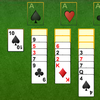 Yukon Solitaire Game Yukon Solitaire Game
Plays: 6365
Category: BoardGame Games
The object of this game is to put all the cards to the foundation (the top 4 piles). The foundation piles must be built up from A to K with cards of the same suit. There are 7 tableau piles (the lower 7 piles). Initially, the cards are dealt here, some of the cards will be covered and some of the cards will be opened. Each time you can move a column of cards from a tableau pile. You can put the column of cards on another tableau pile if the last card of the tableau pile is of different colour and is one point bigger than the first card of the column. When the last card of a tableau pile is coverd, you can uncover it by clicking it. When a tableau pile becomes empty, you can drag a K (together with the entire column of cards on top of that K) to fill the position |
 Blocky 2 Game Blocky 2 Game
Plays: 6288
Category: Action Games
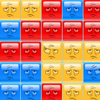
The Smilies are back! Help them escape their funk in this sequel that's sure to coax a grin and a giggle. Release the Smilies by clicking and dragging a rectangle with four like-colored corners to clear them from the board. Clear them all before time runs out to complete each level. Play all 49 levels, clearing bombs before they explode and picking up time bonuses to keep the fun going! Keep turning frowns upside down with Blocky 2. Play today! |  Statbuilder Classic Game Statbuilder Classic Game
Plays: 6235
Category: Adventure Games
At last, Statbuilder is back again for the first time. Gain level after mighty level as you collect unimaginable items, battle beasts you'd have to see to believe, and travel to lands never before witnessed in any game, including this one. Statbuilder: the ultimate RPG experience. |
 Marble Twist Game Marble Twist Game
Plays: 6228
Category: Puzzles Games
Puzzle Mode: Using the same selection mechanic, using the fewest possible moves, group all the coloured tiles together!
Arcade Mode: Make selections by clicking any two tiles. Selections rotate depending on how they are selected. Match thr |  10 Gnomes 1 Game 10 Gnomes 1 Game
Plays: 6199
Category: Puzzles Games
You have 10 minutes to find 10 Gnomes - navigate through the pictures by clicking on hot spots. |
 Angry Birds Connect Game Angry Birds Connect Game
Plays: 6184
Category: Puzzles Games
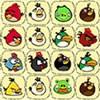
Come to rescue the trapped birds! Those poor angry birds are kidnapped in a magic city in various cages and they are in desperate need of your help! Clear the board by clicking on two adjacent tiles to remove them. |  Onslaught Tower Defence Game Onslaught Tower Defence Game
Plays: 6182
Category: Fighting Games
This is a re-make of the game Onslaught Tower Defense, made to be less resource intensive and add new features such as achievements and coins.
This games is not complete, but it is playable. Currently you can choose one of 9 maps in the yellow and blue squares, choose the number of waves, and begin playing. You can build 3 towers and they will proceed to attack enemies that come in waves of 10 until all waves are done. Click next wave when all the enemies from your current wave are on screen to advance to the next wave, or when the 20 seconds are up or when all the enemies have been killed. Clicking towers will allow you to select them, and from there upgrade damage, rate of fire, or sell the turret. I'm working on adding the ability to upgrade range, move turrets, have more achievements that unlock abilities, widen the store, and adding more towers. |
 Tiki Island Word Winder Game Tiki Island Word Winder Game
Plays: 6157
Category: Action Games
There is a small island in the Pacific Ocean that enjoys perfect weather, all the time. The islanders discovered a magical, ancient Tiki Mask that protects their island from bad weather... But the island paradise gets it's protection at a price. The Tiki Mask must be kept entertained! An Island Elder discovered that the Tiki Mask loves word games. Every day, someone from the island must play his game and find words hidden in a set of 49 tiles.
Today, you have been chosen to entertain the Tiki Mask! Drag the letters in the columns and rows in such a way that you can spell words with the letters that are touching each other. Click the letters in the right order to spell words of 3 letters or more. When you are ready to offer your word to the Tiki Mask, double click your mouse on the green tiles. Dragging after clicking is permitted, but the letters you chose will be un-selected. You get points for your efforts, to show the other islanders how hard you worked. |  Ninja Cursor Game Ninja Cursor Game
Plays: 6149
Category: Other Games
Use your super fast reflexes to click on the falling stars before they reach the bottom. |
 Kim's Missing Numbers 10 - One Piece Edition Game Kim's Missing Numbers 10 - One Piece Edition Game
Plays: 6141
Category: Puzzles Games
Find the Missing Numbers in each wallpaper.
100 points for each number. Faster clicking gives you more points. Clicking the wrong spot deducts your score by 100. Earn timer bonus at the end of each level.
Boost your score with In-game Achievements! |  Clickaphy Game Clickaphy Game
Plays: 6126
Category: Other Games
Clickaphy tests the player's clicking reflexes to the limit! |
 Differences - City tour Game Differences - City tour Game
Plays: 6031
Category: Puzzles Games
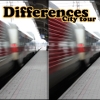
Spot the differences.
The player is shown pairs of images, each of which feature two nearly identical photographs of some city around the world. Between every two photographs there are five differences, which should spotted as quickly as possible. The differences are fixed by clicking either of the photos with a left mouse button.
The set of five differences will vary with every gameplay to make sure the city tour stays enticing enough, even for an avid player. |  TETRA BALL Game TETRA BALL Game
Plays: 5957
Category: Strategy Games
By clicking mouse the player must picked out the similar colored ball in table.
It is possible when same colored balls must be adjacent to each other. |
 Hidden Football Game Hidden Football Game
Plays: 5925
Category: Puzzles Games
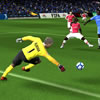
Obtaining the balls is going to become much tougher than it sounds, mostly simply because they blend in almost perfectly with the background; locating all of them will require a lot of talent, without having forgetting an eagle's vision. Also, I sure hope you like working beneath pressure mainly because you only have so much time to locate each of the balls before the club decides you are not a worthy ball finder. In Hidden Football the controls are about as basic as they get seriously, as you happen to be needed to make use of your mouse in an effort to uncover the hidden footballs in each image. You will find 15 balls for you to locate in every image, and you may choose one particular out of three photographs. Only preserve clicking on the image to seek out the football. Preserve in thoughts nevertheless that just about every incorrect click counts as a mistake, and in the event you make 5 of them you lose; this really is a game of ability, not a clicking competitors. You only have 200 seconds per image, so you better place individuals eagle eyes of yours to operate and discover all these missing balls. | 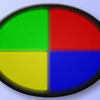 Simon Says Game Simon Says Game
Plays: 5921
Category: BoardGame Games
Classic Brain Game - Copy the pattern by clicking the lights in order for your chance to work your way up the levels! |