| Online Corner Games |
|---|
|
 Killer Sudoku Game Killer Sudoku Game
 
Plays: 2547
Category: Education Games
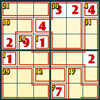
Time to defeat the killer, sudoku geniuses! Same as the classic version of the number puzzle, you will be given a 9x9 grid, which is evenly divided into 9 squares. Your goal in the game is to put numbers 1 to 9 onto the blanks of the grid, such that the numbers will not be repeated in each row, each column, and each 3x3 square. In addition to that, the blanks will be separated into groups by red lines which are called cages. In each of the cages you will be given a number, and the sum of the numbers in the cage must be equal to that given number. When you hover your mouse over the given number, the possible sums will be shown for your reference. You can click a number on the number pad on the left of the grid to fill in a blank. If you would like to remove a number previously entered, you can click the cross button at the bottom of the number pad to erase it. If you are not able to put a number, you may click the Hint button under the grid to reveal one of the answers, but note that for each hint you receive 100 seconds will be added to the time you have spent, as indicated at the bottom left corner of the screen. Rise to the indulging arithmetic game now! |  Word Scramble Game Word Scramble Game
Plays: 2541
Category: Education Games
Are you able to use disordered letters to compose valid English words without checking the dictionary? In this game you will be given a set of scrambled letter tiles, and your goal is to rearrange them into valid words. You can click and drag the tiles to their suitable positions, then click the Submit button under the tiles to check if the word is correct. If the tiles form a valid word, you will be awarded a score based on the amount of time you have spent. If the word does not exist, 2000 points will be deducted. You may click the Hint button on the left of the Submit button to check the meaning of the hidden word, but you will lose 3000 points if you do so. The timer at the lower right corner will show the remaining time for the current question, and when time is up, you may no longer arrange the tiles and the answer will be shown. Accept the challenge of the classic word game now! |
 Touch The Creature Game Touch The Creature Game
Plays: 2529
Category: Customize Games
Touch The Creature is a colourful game with thounsands of possible customization options! Rise in level as you design your own little mushy pet. How tired will you let your fingers become only to see what's around the next corner? The game is just as suitable for children as for childish adults, and the objective is simple - Just touch the creature!
PS: May be highly addictive. | 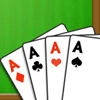 Aces Up Solitaire Game Aces Up Solitaire Game
Plays: 2519
Category: BoardGame Games
Advance in the game and get the winning hand! Your target in Aces Up Solitaire is to remove all cards on the tableau piles until only the four aces are left. When the game opens, each of the 4 tableau piles at the upper part of the screen will be dealt 1 upturned card. The remaining cards will be downturned and place to the stock pile at the bottom right corner. When the topmost cards on two tableau piles are of the same suit, you can click to remove the lower ranking one, for example, when a 6 of hearts and a Q of hearts are on the top of two tableau piles, the 6 of hearts can be removed. Your score will be counted according to the number of removed cards. If no cards can be removed, click the stock pile to deal new cards. When a tableau pile becomes empty, you can click to move the topmost card of another tableau pile to occupy it. If the stock pile is used up but no more moves can be made, the game ends. Can you clear your way and reach the throne of the aces? |
 The Lost Corner Game The Lost Corner Game
Plays: 2508
Category: Adventure Games
The little duck will meet many difficulties before reach the destination. Let's help him! |  Lever Physics Game Lever Physics Game
Plays: 2482
Category: Education Games
Be rest assured this is not a clash of titans; it's a fine combination of mathematics and physics. In this game, your goal is to balance the lever by putting all of the given objects onto it. At the start of each level, you will be given a lever which has labels to indicate the distances between the marked positions and the pivot of the lever. The objects and their weights are displayed at the bottom of the screen. You need to click and drag the objects onto the lever until the moments on both sides of the lever are the same, for example, if a 200g item is hanging under the 3m label on the left side, then the moment on the left is 200 x 3; and if on the right side a 300g item is hanging under the 1m label and a 100g item is hanging under the 3m label, then the moment on the right side is 300 x 1 + 100 x 3. In this case, the moments on the two sides are the same and therefore the lever will be balanced. If you have placed an item to an incorrect position, you can click and drag it back to the bottom of the screen. Note that you need to complete each level within the given time limit as shown at the top right corner, or you will lose. As you advance in the game, the number of objects will increase, and the calculation will become more complicated. Play with family and friends and see who can achieve the perfect balance! |
 BATTLEDRAUGHT Game BATTLEDRAUGHT Game
Plays: 2457
Category: Action Games
Bring down enemy drafts from a chessboard.
To bring down enemy drafts from a chessboard. Win and move forward. Make so the enemy would hide in the corner.
Uprvleniye: Mouse. Click a draft and change ??? and force of attack.
Rules: That wins who will kick out all enemy drafts from a chessboard. Opponents do courses serially. Bleach an enemy draft a course remains for you. If your draft during this moment fell that the opponent goes.
...................................
???? ????????? ????? ? ????????? ?????.
????? ????????? ????? ? ????????? ?????. ???????? ? ???????????? ??????. ?????? ??? ??? ?? ???? ??????? ? ????.
?????????: ????. ?????? ?? ????? ? ????? ??? ? ???? ?????.
???????: ????????? ??? ??? ?????? ??? ????????? ????? ? ????????? ?????.????????? ?????? ???? ??????????. ?????? ????????? ????? ??? ???????? ?? ????. ???? ?? ???? ????? ? ???? ?????? ????? ?? ????? ????????. |  Santa's Sleigh Game Santa's Sleigh Game
Plays: 2455
Category: Puzzles Games
The holiday season is near! Can you arrange transport for the Santas so that they can deliver the presents effectively? Your goal in this game is to give each Santa a sleigh so that each of the sleighs belongs to one Santa only. When the game starts, a number of Santas will be placed on a 8x8 grid. The numbers outside the grid indicate the quantity of sleighs that should be placed in each of the rows and columns. A sleigh should be horizontally or vertically adjacent to the Santa it belongs to, and the sleighs should not be horizontally, vertically or diagonally adjacent to each other. You can click an empty block to place a sleigh, or click the snowy block on the right of the grid to mark a square which does not contain a sleigh. The time you have spent will be recorded at the top right corner of the screen. Give the Santas a helping hand and they will surely reward you with fantastic gifts! |
 Mysterious Place Solitaire Game Mysterious Place Solitaire Game
Plays: 2448
Category: BoardGame Games
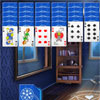
Mysterious Place Solitaire is a new solitaire variation by Free-Hidden-Object.com. You would play in the old house at nightfall. Your task is to delete all cards from the table.If there is no move click at the bottom left corner to add new cards. |  Buccaneer Game Buccaneer Game
Plays: 2447
Category: Adventure Games
A small and stunning game for all arcade sites. 10 level superbly designed strategy game. Player is supposed to move ahead to collect the cash by avoiding collisions with enemies and reaching the destination in limited time that runs in the corner of the game screen. |
 Greater Than Sudoku Game Greater Than Sudoku Game
Plays: 2428
Category: Education Games
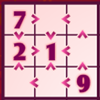
Yet another challenging sudoku puzzle is here - are you confident enough to face the crowd of symbols? In this game you will be given a 9x9 grid, which is evenly divided into 9 squares. Your goal is to put numbers 1 to 9 onto the blanks of the grid, such that the numbers will not be repeated in each row, each column, and each 3x3 square. In addition to that, a greater-than or a smaller-than sign will appear between any two blocks in a 3x3 subgroup, indicating the ordinal relationship between the numbers in those blocks. You can click a number on the number pad on the left of the grid to fill in a blank, and if you would like to remove a number previously entered, you can click the cross button at the bottom of the number pad to erase it. If you are not able to put a number, you may click the Hint button under the grid to reveal one of the answers, but note that each time you do so 100 seconds will be added to the amount of time you have spent, as indicated at the bottom left corner of the screen. A clue or a distraction, a blessing or a curse - play the game and discover the true color of the symbols yourself! |  Typing Monster Game Typing Monster Game
Plays: 2418
Category: Education Games
A ferocious monster has invaded your city, and the defenders cannot weather the furious attack for long. The only way to save the day is to type and cast magic spells to expel the alien. When the game starts, the monster will have 10 lives as shown at the top left corner of the screen, while you will have 5 lives as displayed at the bottom. A number of sentences will appear in the dialogue box on the right of to the monster, and you need to use your keyboard to type the sentences. When you finish typing all of the words, a spell will be cast and one life of the monster will be deducted. Then new sentences will be displayed and you need to type again. Continue the process until the monster is defeated. The monster will attack you from time to time, and you need to destroy the fireballs by typing the numbers on them, or you will be hit and one life will be deducted. You lose the game if all of your lives are gone. Defeat the evil creature and restore peace to your city! |
 Clueless Crossword Game Clueless Crossword Game
Plays: 2413
Category: Education Games
Getting used to common crossword puzzles? Try to solve the more challenging Clueless Crossword! When the game opens, the vowels of the hidden words will be filled into the corresponding blocks of the puzzle, while a list of the 26 letters will be presented at the bottom of the screen. Hover your mouse over an empty blank, and all the blocks which contain the same letter will also be highlighted. Click a block and select a letter on the list to fill in the blanks. Note that only letters highlighted in blue on the list can be selected. If you would like to remove a letter in a block, you can click the corresponding block, then click the cross button on the right of the alphabet list to delete the letter. The time you have spent is recorded at the top right corner of the screen. If you are not able to make a move, you may click the Hint button on the right of the puzzle to reveal an answer, but each time you do so 20 seconds will be added to the time you have spent. Solve the riddle timely and you will be rewarded handsomely! |  Sudoku Game Sudoku Game
Plays: 2389
Category: Education Games
Even if you have never played a game of Sudoku, you must have heard about its irresistible fun. Why not try it yourself online and treat yourself with excellent logical training? In this game, your goal is to fill in the blanks with numbers 1 to 9 such that the numbers will not be repeated in each row, each column, and each 3x3 square. You will be given a 9x9 grid, which is evenly divided into 9 squares. Some of the blocks are already filled by numbers, while the others are blank. A number pad is placed on the left of the grid, and you may click a number to fill a blank on the grid. Only a valid number which does not violate the rules of the game can be placed. If you would like to remove a number previously put onto the grid, you may click the cross button at the bottom of the number pad to erase it. If you are not able to put a number, you may click the Hint button under the grid to reveal one of the answers. However, each hint provided will add 50 seconds to the time you have spent, as indicated at the top left corner. Finish the puzzle in no time and soar to grand new heights on the leaderboard! |
 Flip It Game Flip It Game
Plays: 2386
Category: Puzzles Games
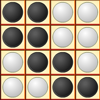
The black and the white have always been confronting each other on the board. Can you bring the black pieces back to the light? Your task in this game is to flip all the black pieces to the white side. Before the game starts, you may set the vertical and horizontal dimensions of the chessboard, ranging from 2 to 10. Click the OK button after you have completed the settings, and you will be given a chessboard according to your selected dimensions. Each of the squares on the board will be occupied by a black piece. Click to flip a piece to its opposite side, but note that the adjacent pieces in horizontal and vertical directions will also be reversed. The number of moves you have made is recorded on the left, and each move you make will cost you 50 points. If you are not satisfied with the current progress, you may click the Restart button at the top left corner to play again. Try to play with a larger chessboard and see how many pieces you can handle! |  Mothers Day Card Game Mothers Day Card Game
Plays: 2367
Category: Customize Games
Put together all your creativity and love for your mom and create a special Mother's Day card for her. Pick a really nice color for your card, then beautify its background with little flowers, flying hearts or glittering stars, choose the loveliest bow to cover the upper left corner and then go on and pick the most beautiful message for your mom. Happy Mother's day to all Mum's everywhere! |
 Ninja the Explorer Game Ninja the Explorer Game
Plays: 2364
Category: Action Games
Play as a ninja exploring a mysterious island. Your foe lies at the north-west corner of the island, and you must choose a path to reach there. Use your sword and dash attack to make your way across the island. |  Pixx Game Pixx Game
Plays: 2361
Category: Puzzles Games
Change the colour of the squares until the entire screen is a single colour. Use the buttons of each color to change the pixels, starting with the upper left corner, trying to match the surrounding squares. |
 FOG Free Kicks Game FOG Free Kicks Game
Plays: 2335
Category: Sports Games
Hit the ball into the net, through a series of challenges. Get the ball past all the plays, facing the goal straight on or from a corner kick. Get the curve, power and direction just right. |  Easter Egg Designer Game Easter Egg Designer Game
Plays: 2318
Category: Customize Games
Showcase your creativity and unleash your aesthetic sense by designing your own Easter egg with a beautiful assortment of patterns, shapes and colors! The game opens with a plain Easter egg on the left of the screen, while the available patterns are located at the top right corner, and different types of shapes are placed below the patterns. To apply a pattern, simply click the left or right arrow button next to the pattern samples. The selected sample will be enlarged and shown in the middle of the five boxes, while the pattern itself will be automatically applied to the Easter egg. You may repeat these steps to modify the pattern. To select a type of shape, click the left and right arrow buttons next to the shape samples. The available shapes of the chosen type will be displayed under the sample boxes, for example, when you have selected the snowflake, three available shapes of snowflake will appear under the sample boxes. Click to select any shape you like, then drag and paste it onto the Easter egg. You may click the shape again to adjust its size by using the scroll wheel on your mouse or the + and - keys on your numpad: scroll up or press the + key to enlarge the shape, and scroll down or press the - key to reduce the size. You may also rotate the shape by pressing the left and right arrow keys on your keyboard. If you no longer wish to apply a shape, you can click to select it, then drag and drop it to the bin on the right of the Easter egg. When you have completed the design, click the "Add some color" button at the bottom right corner to proceed to coloring. You will then be given a palette of 35 colors on the right of the Easter egg. To apply a color, simply use the paint brush to select a color, then move to the desired position on the Easter egg. The area will be circled and enlarged so that you can apply the color easily. Click to paint the color, or choose another color if you wish. You may reapply colors to a certain area, or you can click the topmost arrow button on the left of the screen to undo the previous action. If you would like to clear all colors, simply click the Reset button at the bottom of the palette. You may also click the buttons on the left of the screen to save the image, print the outline, print the image in color, or clear all colors and return to the design page. Click the Finish button at the bottom right corner when you have completed all steps, and a score will be given based on the richness of your design and the time you have spent. Come and participate in the unique celebration of Easter! |