| Online piece Games |
|---|
|
 Frontier Game Frontier Game
 
Plays: 4115
Category: Adventure Games
Create your own fortune. Travel the land seeking to destroy the Buccaneers, an evil pirate organization bent on being outlaws... or join the Enforcers to help stop them and bring piece to the land! You decide, you build your fate, and in the end you choose the path you want to take and how to get there.
Frontier is a non-traditional RPG, taking mostly the form of an economics game... but in the sense that you're not set on a linear path to go destroy certain enemies or collect items. Your job is to survive, earn money, and do as you please. Destroy the Buccaneers or take down an entire city for your taking. Join the Enforcers and battle it out with some mercenaries to become true evil.
50 different cities beckon your trade and visit, each located in 10 unique environments and place. Each offers new financial opportunity or guild headquarters to find more purpose in your worldly pursuits.
Enjoy! |  OnePieceMatching Game OnePieceMatching Game
Plays: 4111
Category: Puzzles Games
One Piece Matching games
Try to Find the same picture. |
 Checkers Game Checkers Game
Plays: 4099
Category: BoardGame Games
Checkers game with following rules
A simple move involves sliding a piece one space diagonally forwards to an adjacent unoccupied dark square.
A jump is a move from a square diagonally adjacent to one of the opponent's pieces to an empty square immediately and directly on the opposite side of the opponent's square, thus "jumping directly over" the square containing the opponent's piece. All piece may jump diagonally forwards and backwards.
If you can make a jump in your turn then you have to do it !!!
When multiple-option jumping moves are available, whether with the one piece in different directions or multiple pieces that can make various jumping moves, the player may choose which piece to jump with and which jumping option or sequence of jumps to make. The jumping sequence chosen does not necessarily have to be the one that would have resulted in the most captures; however, one must make all available captures in the chosen sequence. |  iSolve Puzzle Game iSolve Puzzle Game
Plays: 4030
Category: Education Games
Fun and easy puzzle game for everyone - put pieces of the image to its according places. Find the right position for every piece and do it as fast as you can. |
 Halloween Ghost Rider Game Halloween Ghost Rider Game
Plays: 3937
Category: Adventure Games
Help the legendary Ghost Rider but now with the pumpkin head, through this journey on the cemetery and help him
overcome all the dangerous obstacles that are in his way. Use your unlocked bike in 12 intense and unique levels
and tray to make it in one piece to the finish line. Collect fireballs to to get your final score high and unlock
new bikes after each 3 levels finished . Each level it’s different then the other levels and while you progress in
the game the terrain will be mode difficult to overcome, but don’t worry the new bikes will help you on your way.
There are explosive pumpkins on the levels if you touch them they will explode and will blow you high in the sky.
Just balance your bike when you fall down and tray to make it to the finish line.Good luck and have fun! |  Unicorn Herd Game Unicorn Herd Game
Plays: 3921
Category: Other Games
Unicorns are the only mythological creature that do not fear us. They are mysteriously beautiful and their horn is able to neutralize poisons. Beside this, we want you coloring this little piece of art work. |
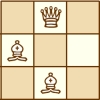 Chess Avoidance Puzzles Game Chess Avoidance Puzzles Game
Plays: 3830
Category: Puzzles Games
Place the chess pieces provided on the chess board provided
so that no piece attacks any other. There are 20 levels. |  Dobris Castle Game Dobris Castle Game
Plays: 3818
Category: Puzzles Games
Dobris Castle 48 Piece Classic Jigsaw Puzzle. Click to Mix and Solve. |
 ASD Piano Maestro Compositor Game ASD Piano Maestro Compositor Game
Plays: 3807
Category: Education Games
ESPAÑOL (English bellow)
=======
El ASD Piano es un dispositivo creado por I2 Interactive y vendido ampliamente por todo el mundo. Aqui puedes divertirte jugando con el. Tiene 7 teclas que se corresponden con las 7 notas y puedes tocarlas presionando la tecla correspondiente en tu teclado A-S-D-F-G-H-J
En este juego tiene 3 modos para pasar un buen rato con el ASD Piano TM.
Free Mode: Aqui puedes jugar como quieras, presionando las teclas como desees. Haz click en el boton Back para regresar a la pantalla de titulo.
Memory: Oiras una corta melodia y despues deberas tocarla de nuevo, muchas cortas melodias iran apareciendo y una vez que las toques correctamente puedes enviar tus puntos a la tabla de Hi-Score
Composer: Puedes componer tus propias piezas originales!! y compartirlas con tus amigos, muestra al mundo el talento que tienes!!
En la pantalla del Composer presiona el boton "REC" para empezar a crear tu composicion, toca las teclas como prefieras y sientas de la mejor manera, puedes tocar varias notas a la vez y conseguir increibles resultados. Cuando sientas que esta terminada dale al boton de "STOP" para detener la grabacion. Puedes ajustar la velocidad de la pieza variando el valor dado abajo a la izquierda y tambien puedes añadir una musica de fondo como acompañamiento seleccionandola de la lista de Tunes disponibles de 1 a 6. Puedes tu pieza original dandole a "PLAY", haz click en "STOP" para detenerla en cualquier punto, con la cabeza lectora (flecha verde) parada puedes hacer click en cualquier parte del pentagrama, la cabeza lectora ira alli, tocando cualquier nota ahi modificara esa parte, puedes hacer click en "ERASE PART" para borrar solo esa parte. Si haces click en "ERASE ALL" se borrara toda la composicion asi que ten cuidado, tambien haciendo click en "Back" se borrara toda la composicion asi que salva antes de salir.
Para salvar tu composicion debes hacer click en "SAVE" y luego, en un cuadro blanco situado abajo, haz click con el boton derecho del raton, y en el menu que sale haz click en "Seleccionar todo" luego haz click de nuevo con el boton derecho y selecciona "Copiar" ahora abre tu Bloc de Notas de Windows, ve a "Inicio", luego en "Todos los programas" y despues en "Accesorios", luego haz click en "Bloc de Notas", una vez que se abra, en el menu "Edicion" selecciona "Pegar", luego haz click en "Archivo" y "Guardar" para guardarlo donde quieras.
Para cargar tu pieza o la de tus amigos primero de todo selecciona toda la composicion que tu has recivido (comienza y termina con un numero), luego haz click con el boton derecho en ella y elige "Copiar", luego en el ASD Piano, una vez que estes en el modo Composer, haz click con el boton derecho en el cuadro blanco de abajo y elige "Pegar" luego haz click en el boton "LOAD" y ya puedes hacer click en "PLAY" para escucharla o puedes editarla para añadir tus modificaciones. Puedes tambien hacer click en las canciones prefabricadas "Premade" para cargar una de las 5 melodias disponibles, haciendo esto cargara la cancion entera asi que asegurate de salvar tu composicion antes, mira lo que nuestro talentoso equipo ha hecho y aprende a la vez.
ENGLISH
=============
The ASD Piano is a device made by I2 Interactive and sold widely everywhere. Here you can have fun playing with it. It has 7 keys that correspond to the 7 notes and you can play them by pressing the corresponding keys on your Keyboard A-S-D-F-G-H-J
In this game you have 3 modes to have your fun time with the ASD Piano TM.
Free Mode: Here you can play as you like, pressing the keys as you wish, click the Back button to go to tittle screen.
Memory: You will hear a short melody and then you have to play it again, many short melodies will pop and after succesfully playing them you can submit your score to the Hi-Score table.
Composer: You can compose your own original pieces!! and share with your friends, show the world the talent you have!!
In the composer screen press the "REC" button to start making your composition, play the keys that you wish and feel the best, you can play several keys at the same time and get awesome results. When you feel its finished hit the "STOP" button to finish the recording,
You can adjust your piece speed altering the value given at the bottom left and also you can add a background loop to acompany it selecting from the available tunes from 1 to 6.
You can hear your original piece clicking the "PLAY" button, click "STOP" to halt it at any point, with the playhead stopped you can click on any part of your pentagram, the playhead will go there, and playing any keys there will modify that part, you can click on "ERASE PART" to delete the notes on that part.
If you click "ERASE ALL" the whole piece will be deleted so be careful, also clicking "Back" will delete the piece so save first.
To save it you have to click the "SAVE" button and then, there is a white square at the bottom, right click on it and on the menu click "Select all" then right click again and on the menu click on "Copy" then open your Windows Notepad, go to START then ALL PROGRAMS and then ACCESORIES, then click on Notepad and there select Edit menu and Paste, then click on File and Save to save it anywhere you like.
To load your piece or your friends compositions first of all select the whole composition that you have received (starts and ends with a number), then right click on it and select Copy, then in the ASD Piano, once in the Composer mode right click on the white square at the bottom and select Paste then click on the "LOAD" button and now you can click on "PLAY" to listen to it, or you can edit that to add your own modifications.
You can also click on the premade songs to load them, doing that will load the entire song so be sure to save your work first, see what our talented team has made and learn from there. |  Piece o'Eight II Game Piece o'Eight II Game
Plays: 3802
Category: Action Games
The fast pirate clicker's revenge. |
 Merge Game Merge Game
Plays: 3801
Category: Puzzles Games
Merge challenges the player to match the elements of the solution on a 3-way grid pyramid. As more matches are made, the solution piece falls faster and faster toward the floor. Clear the board to stay alive! |  Car Puzzle Game Car Puzzle Game
Plays: 3778
Category: Puzzles Games
Arrange the pieces correctly to figure out the image.
To swap a pieces position, click on the piece, and then the neighboring one. |
 Toystory Disorder Game Toystory Disorder Game
Plays: 3761
Category: Puzzles Games
Arrange the pieces correctly to figure out the image. To swap a pieces position, click on the piece, and then the neighboring one. |  Rock Paper Scissors Puzzle Game Rock Paper Scissors Puzzle Game
Plays: 3748
Category: Puzzles Games
Use your logic to arrange the pieces on the table so that only one piece remains. |
 The Flintstones Puzzle Game The Flintstones Puzzle Game
Plays: 3643
Category: Puzzles Games
Sort the tiles and complete the puzzles piece of these The Flintstones Puzzle. |  Make your classic car Game Make your classic car Game
Plays: 3604
Category: Customize Games
Make and tune up your classic car game for kids. Make your citroen car piece by piece and change your coloe, wheels and more. |
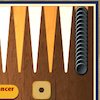 Gul Bara Game Gul Bara Game
Plays: 3594
Category: BoardGame Games
Can you escort all of your pieces and move them out of the board before your opponent gets in your way? In the game of Gul Bara, your goal is to move your black pieces in counterclockwise direction until they are all placed in your home board at the lower right region, then remove all of your pieces before the computer does so. The computer will move its pieces to its home board at the upper left region. Before the game starts, you and the computer will both roll a die to determine the turn order, and the player who gets a higher number will make the move first. During your turn, click the button in the middle to roll the dice, and the numbers shown on the dice are the numbers of steps you can take, for example, if 3 and 6 are rolled, you can move a piece 3 steps forward, and then move the same piece or another piece 6 steps forward. You can move your pieces to a column which is empty or is currently occupied by your pieces, but you cannot move your pieces to a column which is currently occupied by opponent pieces. If the numbers of the dice you rolled are the same, i.e. a doublet, you can use each die twice and make 4 moves for the doublet as well as each successive number up to and including double 6, for example if you rolled a double 3, you can move 4 pieces forward for 3 steps each, then move 4 pieces forward for 4 steps each, and so on. If the path of your pieces is blocked and you cannot play any of the doubles, you cannot continue to play the remaining, for example, if you rolled a double 3 but you cannot move 4 of your pieces forward for 4 steps each, you can only play what you can and then finish your turn. After moving all of your pieces to your home board, you can start removing them, and the order of removal will follow the numbers rolled from the dice, for example if you rolled a double 1, you can remove two pieces which are 1 step from the goal. When all of the required number of steps of the remaining pieces are smaller than the rolled numbers, you can move the pieces which are closer to the goal than the numbers shown, for example, if you rolled a 5 and 4 but you no longer have pieces which are 5 steps from the goal, while two pieces are 4 steps from the goal, then those two pieces can be moved to the goal. Make use of powerful strategies, block the principal route and defeat your opponent! |  Domino Game Domino Game
Plays: 3589
Category: BoardGame Games
Play domino game |
 Fruit Puzzles Game Fruit Puzzles Game
Plays: 3570
Category: BoardGame Games
set piece of the puzzle into a picture |  MagicCarSquare Game MagicCarSquare Game
Plays: 3555
Category: Education Games
Find a missing piece and complete the Magic Square! |